Possible duplicates
Repeated supplier references in the imported file.
MEET YOUR MONEY WORKSPACE
Payments, repayments, trade records, card options and AI assistance. See the work, its requirements and the next action without reconstructing everything from email.
DIGITAL MONEY. PRACTICAL USES.
Crypto cards, stablecoin routes and smarter payment conditions—alongside the bills, agreements and trade records you already manage.
See every feature ↗Explore our RedotPay affiliate offers for everyday, online and advertising spend.
Explore 02Understand the complete route from funding to the amount your recipient can use.
Explore 03Prepare milestone terms, approval roles and evidence for conditional payments.
Explore 04Keep financial control separate from the workspace that organises the work.
ExploreTHE ACTUAL APPLICATION
Supplier payments, an equipment agreement and a trade transaction sit in the same file register.
Explore this workflow Captured from the deployed app interface in an isolated demo. All account and transaction data shown is fictional. No money was moved.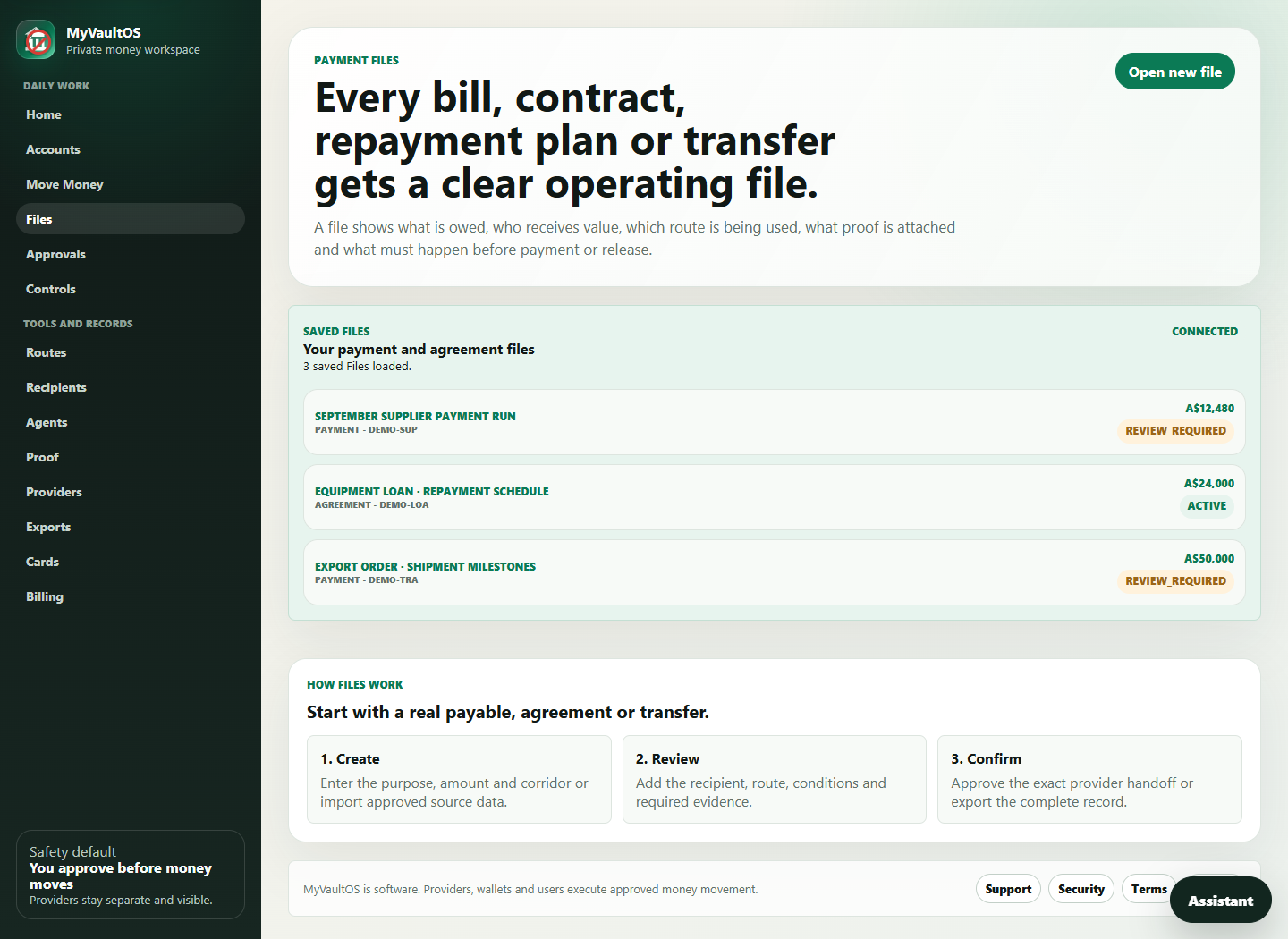
THE WHOLE WORKSPACE
International payments
Compare two quotes, total costs and recipient amounts. Keep the route and the decision together.
Bills & payment runs
Bring payable records together, investigate exceptions and prepare the batch for review.
Loans & repayments
Keep an existing agreement, repayment schedule, facility details and receipt records in one place.
Trade & milestones
Track shipment dates, letter-of-credit requirements, release conditions and funding request packs.
Wallets & card options
Organise wallet references and permissions. Explore third-party card routes for everyday and business spending.
AI assistance
Connect approved context, drafts and approval requests without sharing your login or handing over financial control.
TRY A WORKFLOW
EQUIPMENT AGREEMENT · EXAMPLE
Explore how recorded repayments change an existing agreement’s outstanding principal. This simplified example excludes interest and fees.
Explore loans & repayments ↗In the app, supporting records accompany the payment history. Changing this example does not record a repayment.
These demonstrations run only in your browser. Try the transfer-cost comparison →
01 / PAYMENT REVIEW
Rules-based checks bring the items that need investigation into focus. No vague score with no explanation—see the issue and the suggested next check.
Repeated supplier references in the imported file.
Different banking information attached to the same payee within a file.
Missing amounts, unresolved statuses and evidence gaps.
02 / WORKFLOW & DECISIONS
Keep the requirement, review status, reviewer and note in the same file. Add counterparties, route references and the conditions behind a more complex transaction.
Payment execution stays with your bank or provider.
03 / EVIDENCE & EXPORTS
Bring transaction details, workflow records, review notes and evidence references into an export pack that another person can follow.
THE HANDOVER
WORK ALONGSIDE YOUR EXISTING TOOLS
You don’t need to replace your books to organise the work around them.
Bring supported records into the payment workflow. These are manual import paths, not live account sync.
Use ABA file intake or supported structured payable data for review. No automatic bank-file submission.
Connect workflow context, drafts and approval requests with revocable permissions. Keep financial execution separate.
Provider references are not active integrations. See current service availability before planning a rollout.
ONE RECORD, DIFFERENT KINDS OF WORK
Bring invoices, payable records and reviews into an orderly payment file.
Track milestone conditions, counterparties and document requirements.
Organise request packs and record a provider’s response without treating it as a funding approval.
Let a connected agent work with allowed context and drafts, while people retain control.
MAKE THE NEXT STEP A CLEARER ONE
Start with the work you already do.